
payFn: Payment Method Rules
Hide, rename or sort any payment method at checkout based on the rules. Rules can have multiple conditions on multiple payment methods.
About payFn: Payment Method Rules
With payFn you can hide any payment methods during the checkout. Hide any payment method based on rules. Rules can have multiple conditions. Base conditions on cart total, order sub total. Set a rule to check for all conditions or any one of the conditions to be true. Lots of options to select for conditions like contains, does not contain, greater than or equals, less than or equals. Works with all payment methods including COD.
Screenshots


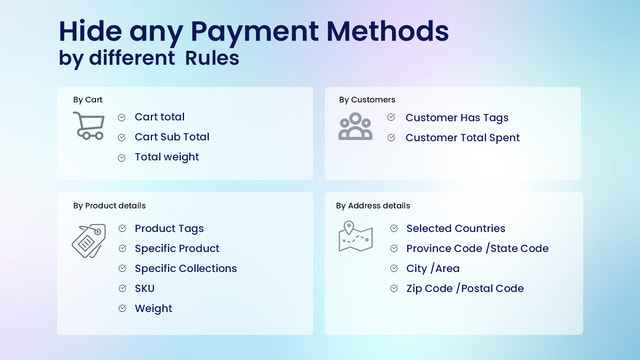
Key Features
Pros & Cons
Pros
Cons
Pricing
FREE Free Features 1 payment rule Hide Multiple Payment methods. Hide unlimited payment methods. Hid
Quick Info
- Category
- Marketing
- Platforms
- Shopify
- Rating
- 3.3
- Last Updated
- 2026-03-19
Is this your app?
Claim this listing to update information, respond to reviews, and access analytics.